
Prerequisites
- A Rocksky account
- A supported browser (Chrome, Firefox, Edge, or any Chromium-based browser)
Setup
1
Install Web Scrobbler
Install the extension from the
Web Scrobbler repository
or your browser’s add-on store. Pin it to the toolbar so you can confirm
detections.
2
Get your Rocksky webhook URL
Sign in to rocksky.app, open the avatar menu in
the top-right, and select Web Scrobbler. A modal pops up with a
personal webhook URL of the form:Click the copy icon next to the URL.
Your webhook UUID is created automatically the first time you open the
Web Scrobbler modal. Keep it private — anyone with the URL can post
scrobbles to your account.
3
Paste the webhook into Web Scrobbler
Open the Web Scrobbler extension settings and go to
Accounts → Webhook → API URL. Paste the URL you copied and save.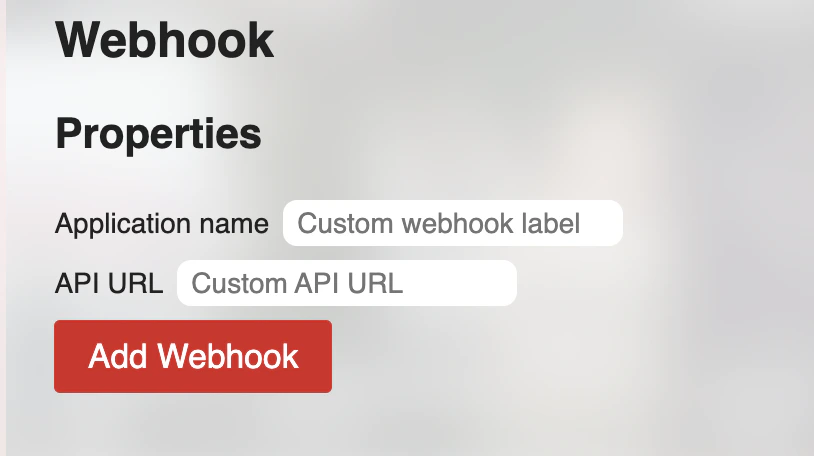
4
Verify it works
Play a song on any supported site (YouTube is the easiest test) and
let it run past the scrobble threshold (usually ~30 seconds or 50% of
the track, whichever comes first). Refresh your Rocksky profile — the
play should appear.
What gets sent
Web Scrobbler posts a JSON payload to the webhook for two event types:- Now playing — when a track starts. Surfaces as your current “Now playing” status on Rocksky.
- Scrobble — when the track meets Web Scrobbler’s threshold. Stored as a permanent scrobble.
Rotating the webhook
If your webhook URL leaks, reach out on Discord to have the UUID rotated. After rotation, paste the new URL into Web Scrobbler’s API URL field — the old one will start rejecting submissions.Web Scrobbler detection runs in the page context of each site. Some
sites change their DOM and break detection temporarily — check
the Web Scrobbler issue tracker
if a specific site stops scrobbling.