
Prerequisites
- Node.js and
npm - Claude Desktop
- A Rocksky account
Install the CLI
Add the MCP server to Claude Desktop
Open Claude Desktop’s settings, find the MCP section, and add this entry to your config:What you can ask
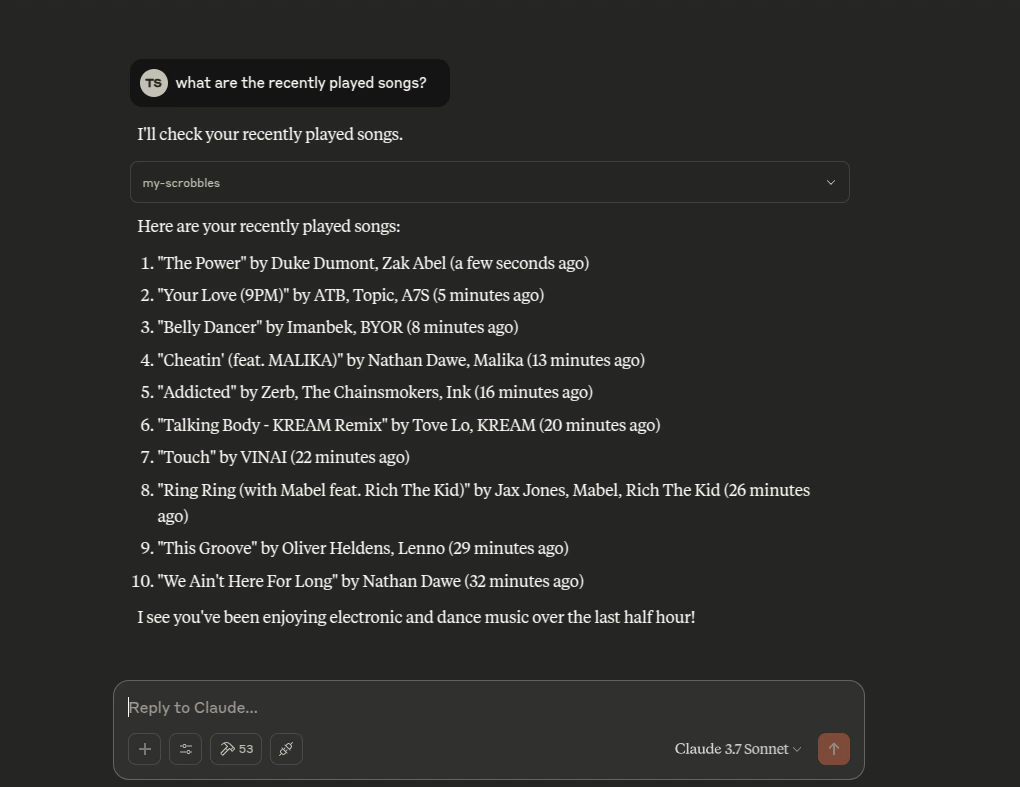
- “What were my top 10 tracks last week?”
- “What am I listening to right now?”
- “Show me the recent scrobbles for @alice.bsky.social”
- “Search Rocksky for albums by Radiohead”
- “Create a new API key called
my-bot”
Troubleshooting
- Confirm the CLI is on your PATH:
rocksky --help - Make sure you’ve logged in once:
rocksky login <your-handle> - Restart Claude Desktop after editing the MCP config
- Check Claude Desktop’s MCP logs if a tool call fails
rocksky mcp command reference for more.