
Prerequisites
- A running Jellyfin server
- A Rocksky account
- An API key from the API Applications page
Setup
1
Install the plugin
Install the community
ListenBrainz plugin,
then open its settings under Dashboard → Plugins → ListenBrainz.
2
Change the API endpoint
Replace the default endpoint:with the Rocksky endpoint:
3
Add your API key
Paste your Rocksky API key into the User token field and save.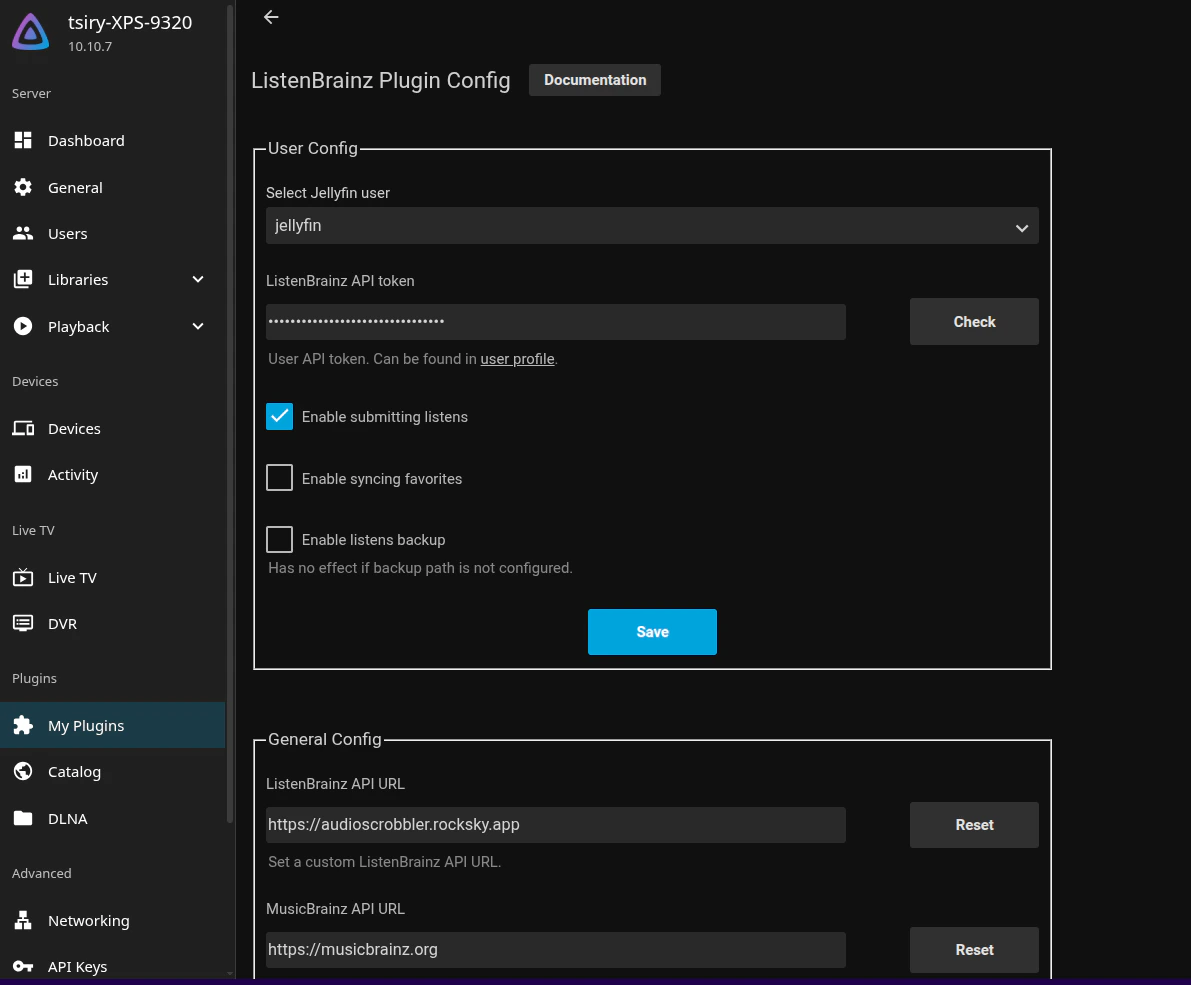
4
Verify it works
Play a track in Jellyfin and refresh your Rocksky profile — the scrobble
should appear in real time.
Jellyfin sends a scrobble after you’ve played enough of a track. If a play
doesn’t register, scrub past ~30 seconds and let it keep playing.