
Prerequisites
- Android device with Pano Scrobbler installed
- A Rocksky account
- An API key from the API Applications page
Setup
1
Open Pano Scrobbler
Launch the app on your Android device.
2
Open the ListenBrainz settings
Go to Settings and scroll to the ListenBrainz section. Enable it
if it isn’t already.
3
Set the custom server URL
Tap Custom server URL and enter:
4
Add your API key
Paste your Rocksky API key into the Authentication token field, then
save.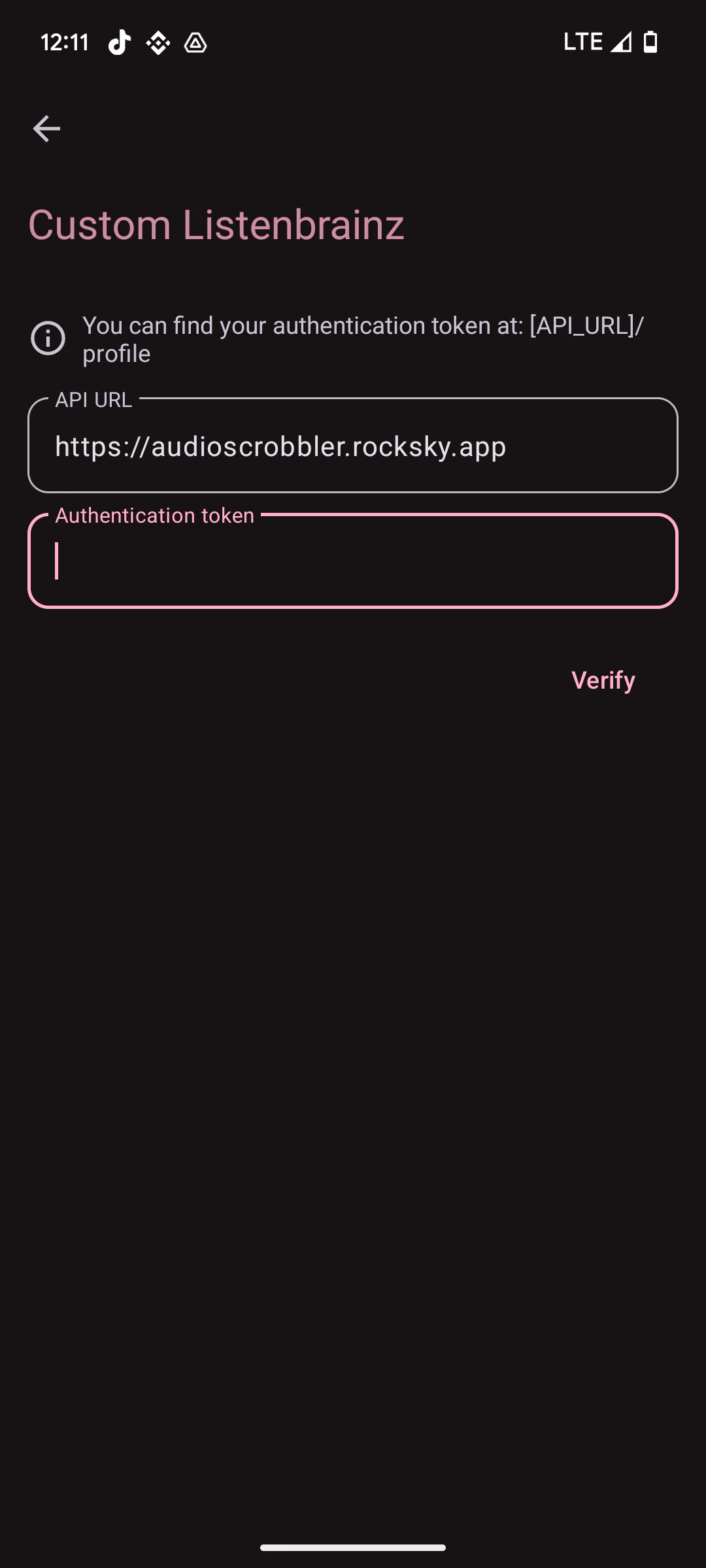
Verify
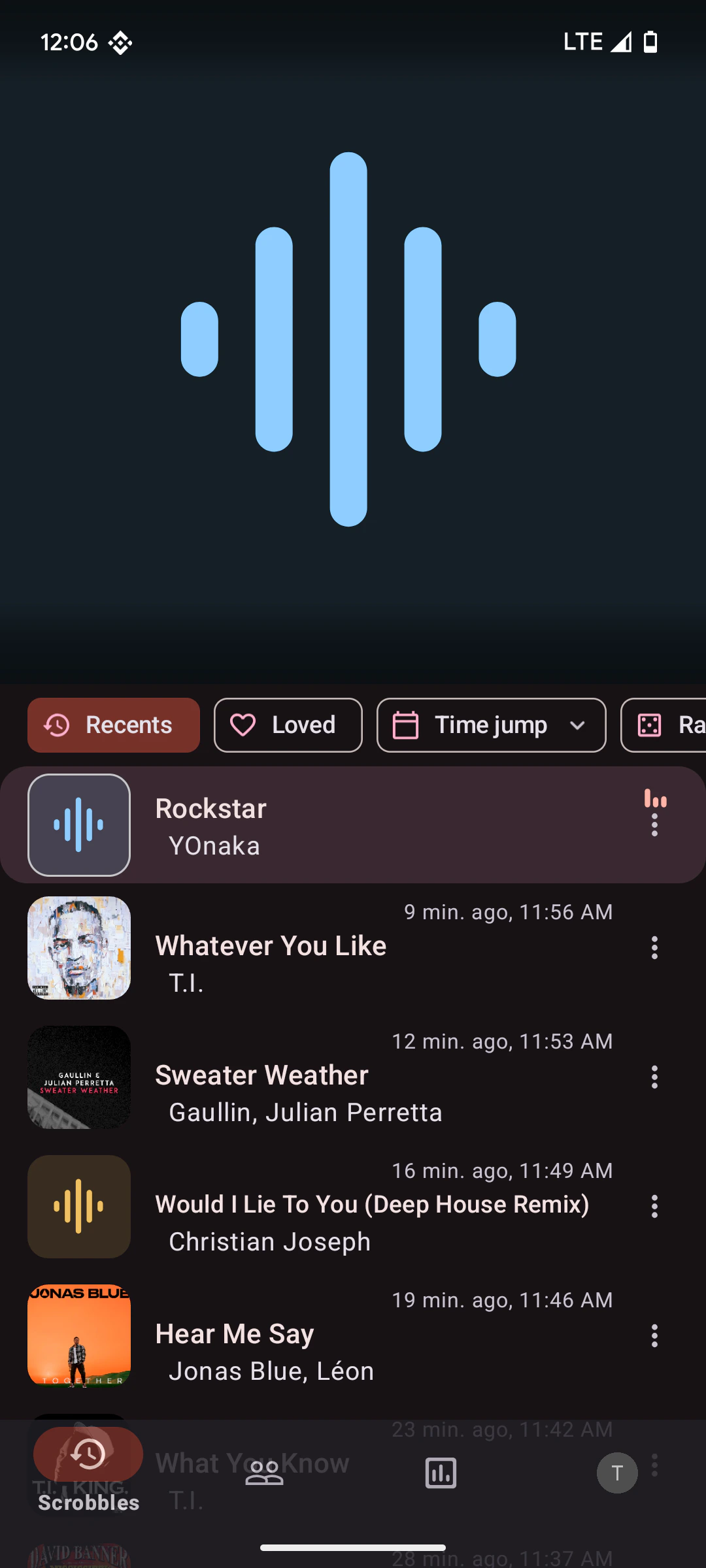
Start playing a track. Visit rocksky.app — your recent scrobbles should appear in real time. Pano Scrobbler waits until enough of a track has played before submitting it.What you can see in the app
Rocksky answers the full ListenBrainz read API, so Pano Scrobbler’s own screens are filled from your Rocksky account rather than left blank:
Hearting a song in Pano Scrobbler loves it on Rocksky, and unhearting removes
it — the same list the web app shows. Every period the app offers works:
this week, last week, this month, last month, last quarter, last half year,
this year, last year, and all time.
Two things that do not work
- No album art. A ListenBrainz listen carries no image URL; clients build cover art from a MusicBrainz release id against the Cover Art Archive, and Rocksky’s catalogue does not store one. There is no field on the wire to put Rocksky’s own artwork in, so the app falls back to placeholders.
- Deleting a scrobble. A Rocksky scrobble lives in your own AT Protocol repository and the row Rocksky shows is a copy of it, so deleting the copy would only make it reappear on the next sync. Pano Scrobbler reports the delete as failed. Remove the scrobble from the Rocksky app instead.