> ## Documentation Index
> Fetch the complete documentation index at: https://docs.rocksky.app/llms.txt
> Use this file to discover all available pages before exploring further.
# Pano Scrobbler (Android)
> Scrobble from any Android music player using Pano Scrobbler.
[Pano Scrobbler](https://github.com/kawaiiDango/pano-scrobbler) watches
playback on your Android device and forwards each play to a scrobbling
service. Point it at Rocksky's ListenBrainz endpoint and every Android player
on your phone starts scrobbling.
## Prerequisites
* Android device with Pano Scrobbler installed
* A [Rocksky](https://rocksky.app) account
* An API key from the [API Applications](https://rocksky.app/apikeys) page
## Setup
Launch the app on your Android device.
Go to **Settings** and scroll to the **ListenBrainz** section. Enable it
if it isn't already.
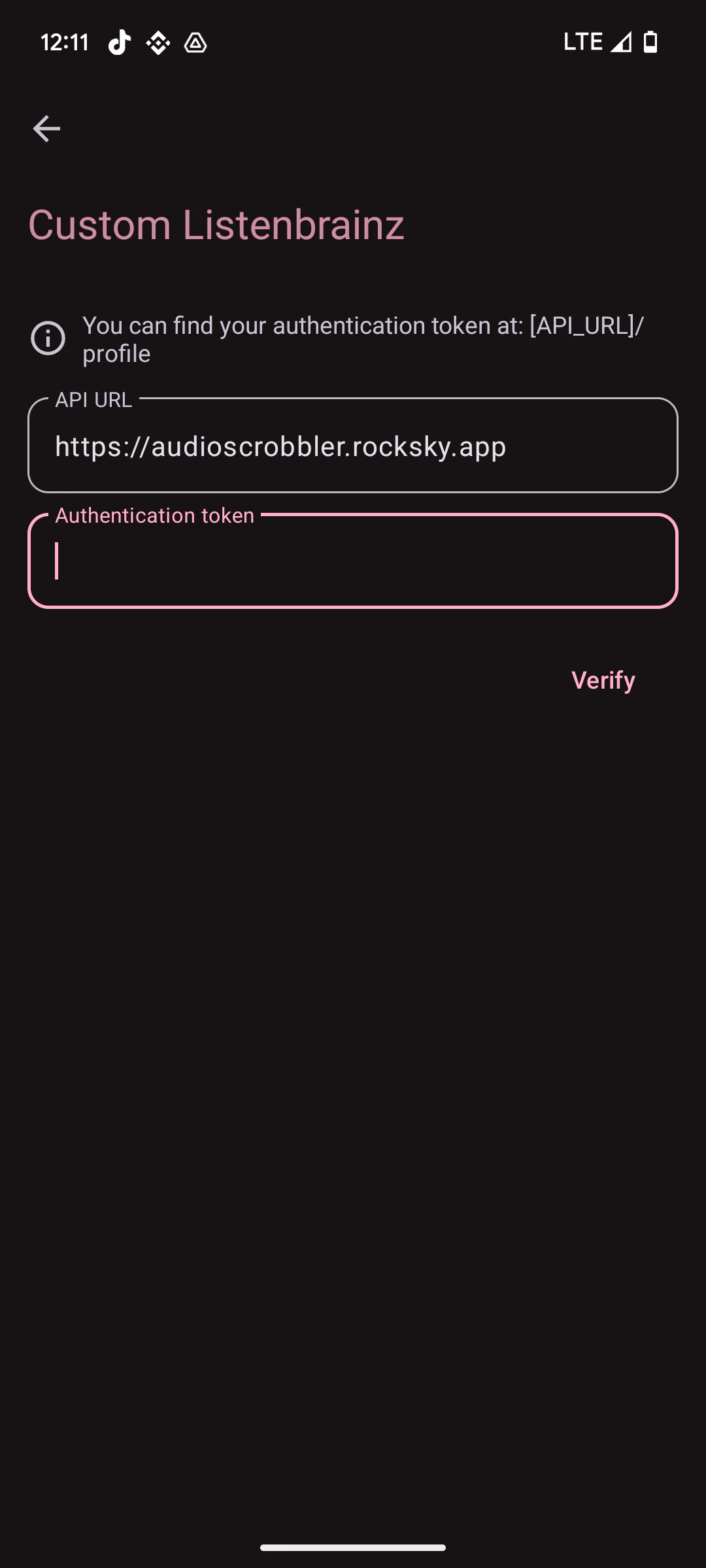
Tap **Custom server URL** and enter:
```
https://audioscrobbler.rocksky.app
```
Paste your Rocksky API key into the **Authentication token** field, then
save.
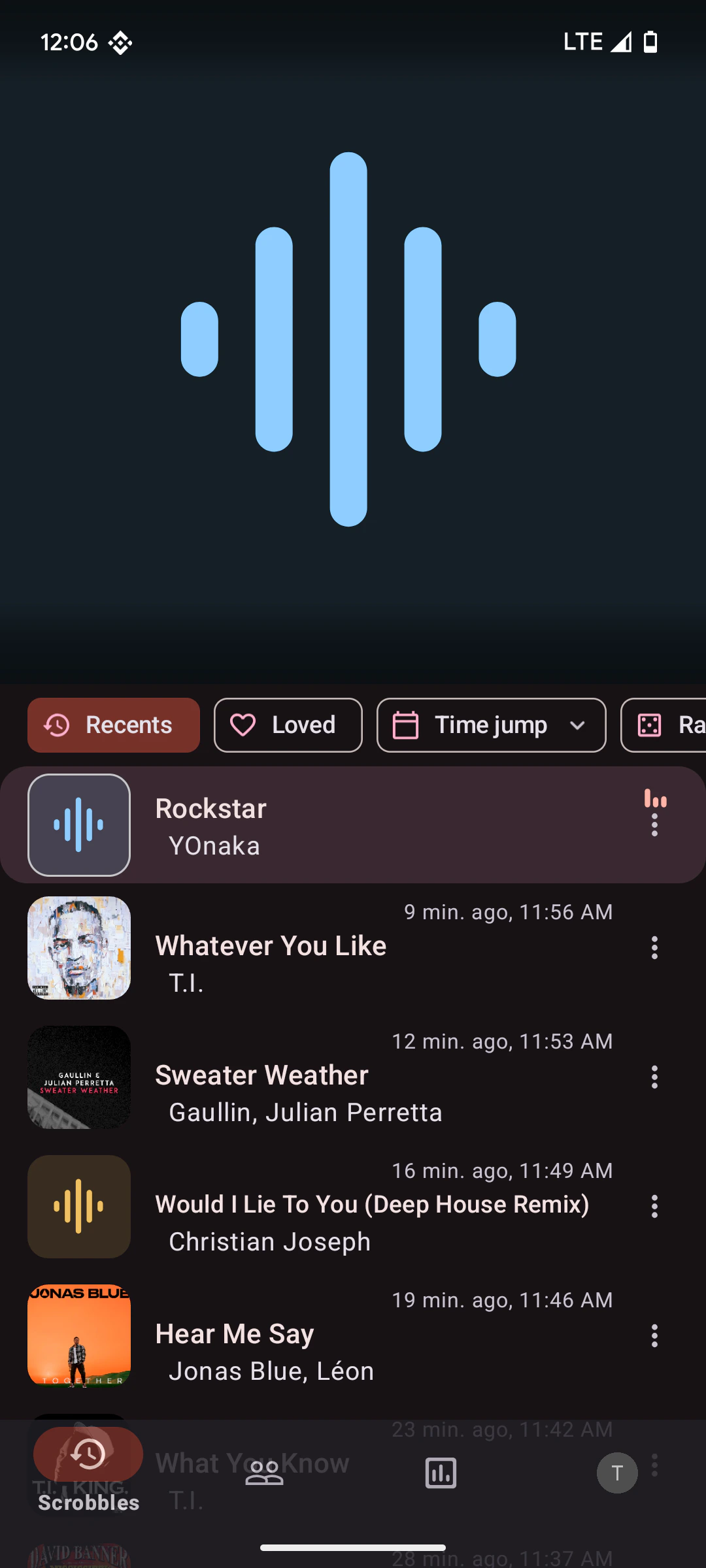
 Once it's running, Pano Scrobbler watches every playing app on your device:
 ## Verify
Start playing a track. Visit [rocksky.app](https://rocksky.app) — your recent
scrobbles should appear in real time. Pano Scrobbler waits until enough of a
track has played before submitting it.
## Verify
Start playing a track. Visit [rocksky.app](https://rocksky.app) — your recent
scrobbles should appear in real time. Pano Scrobbler waits until enough of a
track has played before submitting it.