> ## Documentation Index
> Fetch the complete documentation index at: https://docs.rocksky.app/llms.txt
> Use this file to discover all available pages before exploring further.
# Rocksky as a personal Navidrome server
> Stream your uploaded library through any Navidrome / Subsonic-compatible client, using Rocksky as the backend.
Rocksky exposes a Subsonic / Navidrome-compatible API. Upload your music to
your private Rocksky library and stream it from any Subsonic client — phone,
desktop, car head unit — without running your own server.
## Step 1: Upload music
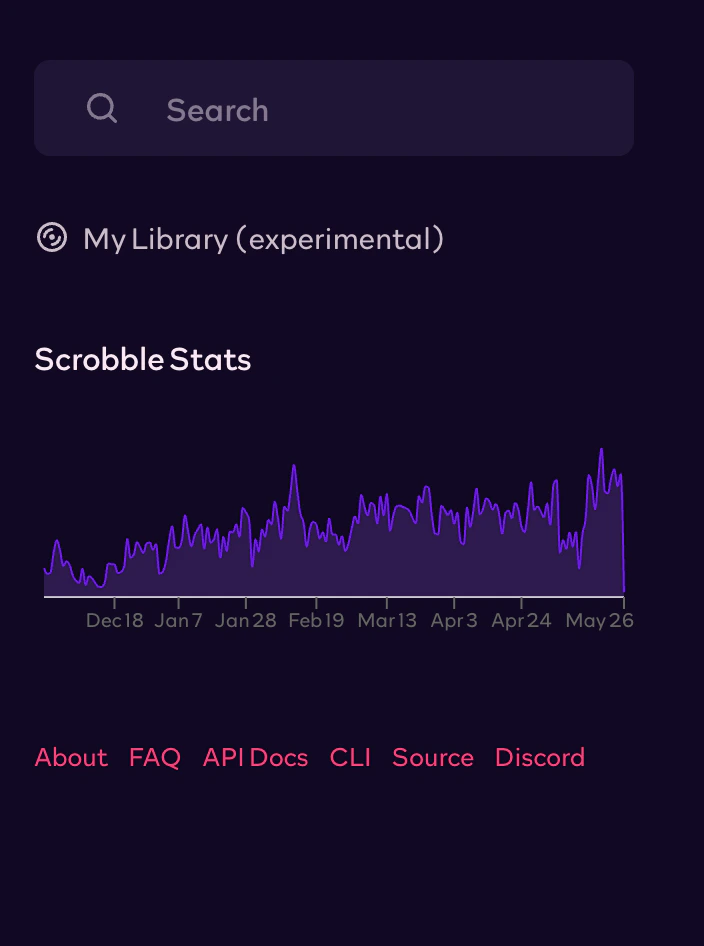
Open **My Library** in Rocksky's sidebar:
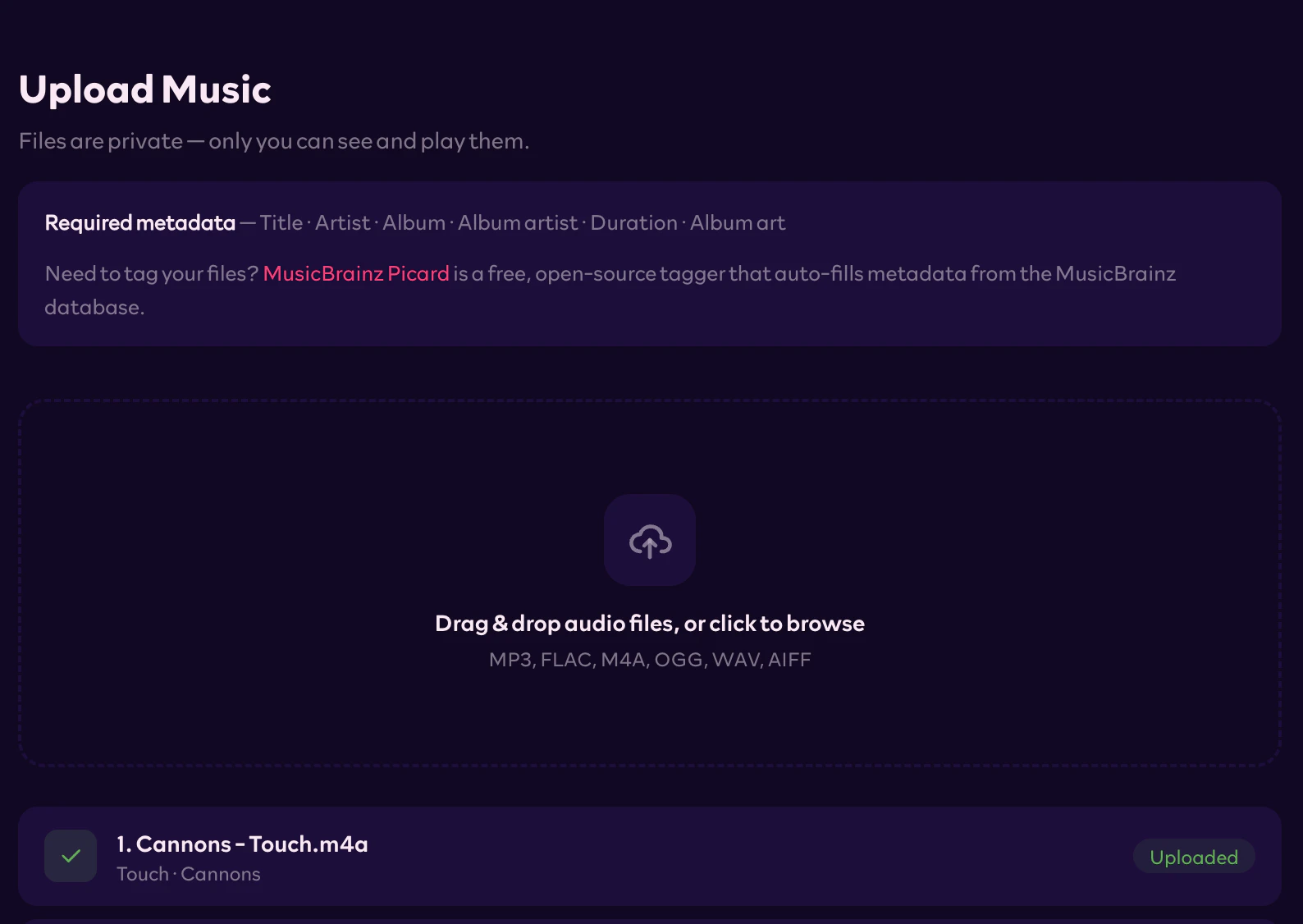
 Drag and drop your audio files (MP3, FLAC, M4A, OGG, WAV, AIFF) into the
upload page. Required tags: title, artist, album, album artist, duration,
album art. Need to tag your files first?
[MusicBrainz Picard](https://picard.musicbrainz.org/) auto-fills metadata
from the MusicBrainz database.
Drag and drop your audio files (MP3, FLAC, M4A, OGG, WAV, AIFF) into the
upload page. Required tags: title, artist, album, album artist, duration,
album art. Need to tag your files first?
[MusicBrainz Picard](https://picard.musicbrainz.org/) auto-fills metadata
from the MusicBrainz database.
 Your uploaded music is private — only you can access and stream your files.
## Step 2: Get an API key
Visit the [API Keys](https://rocksky.app/apikeys) page and generate a new key.
You'll use it as the password in your Subsonic client.
## Step 3: Configure your client
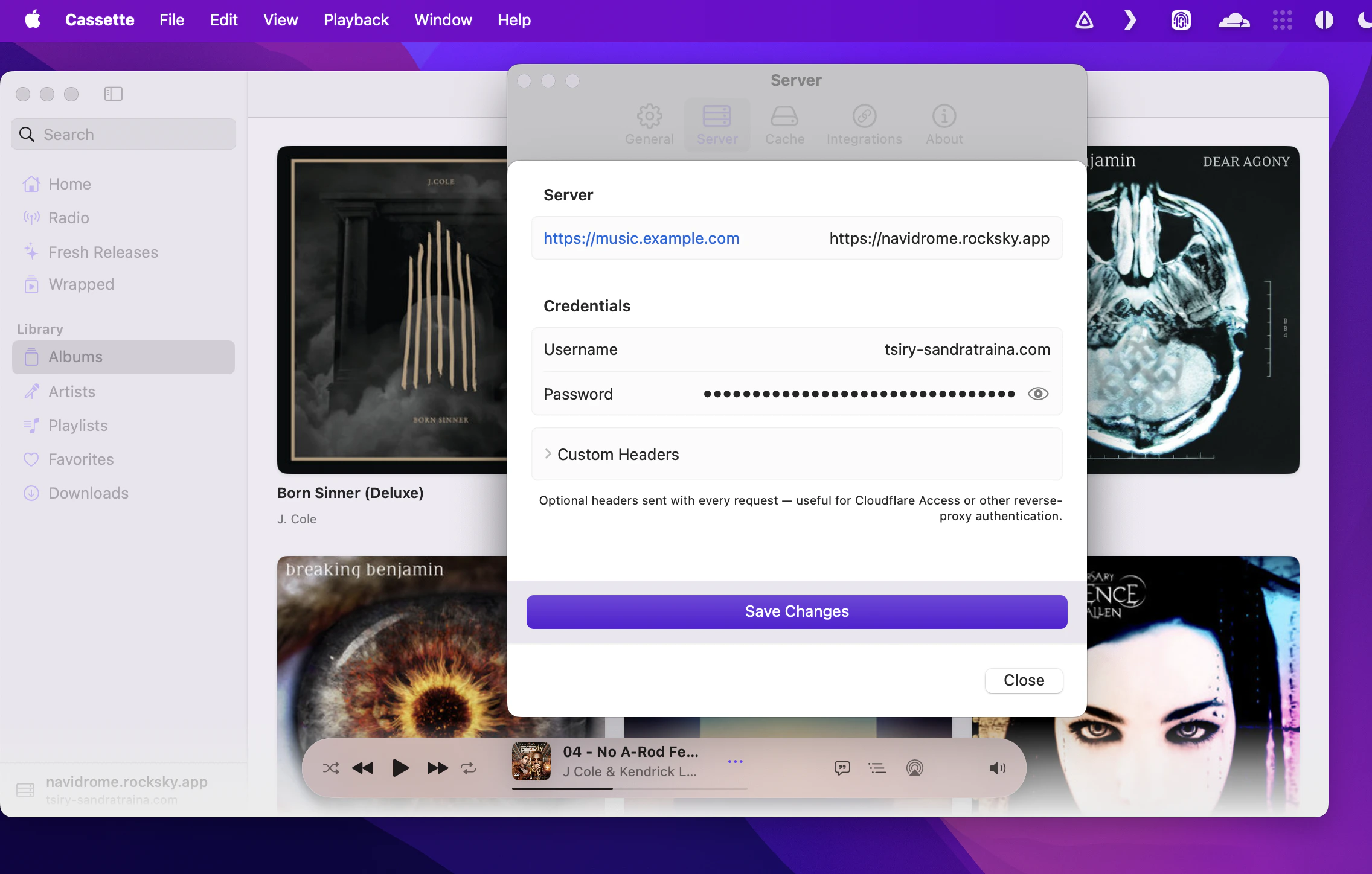
In any Subsonic / Navidrome-compatible app, add a new server with these
details:
| Field | Value |
| ---------- | ---------------------------------------------- |
| Server URL | `https://navidrome.rocksky.app` |
| Username | Your ATProto handle (e.g. `alice.bsky.social`) |
| Password | Your Rocksky API key |
Your uploaded music is private — only you can access and stream your files.
## Step 2: Get an API key
Visit the [API Keys](https://rocksky.app/apikeys) page and generate a new key.
You'll use it as the password in your Subsonic client.
## Step 3: Configure your client
In any Subsonic / Navidrome-compatible app, add a new server with these
details:
| Field | Value |
| ---------- | ---------------------------------------------- |
| Server URL | `https://navidrome.rocksky.app` |
| Username | Your ATProto handle (e.g. `alice.bsky.social`) |
| Password | Your Rocksky API key |
 ## Compatible apps
* **Symfonium** (Android)
* **Substreamer** (Android, iOS)
* **Cassette** (iOS)
* **play:Sub** (iOS)
* **Amperfy** (iOS, macOS)
* **Tempo** (iOS, macOS)
* …and many other Navidrome / Subsonic clients.
## Scrobbling
Plays from any of these clients are scrobbled automatically — there's nothing
extra to wire up.
Rocksky currently stores uploads on Cloudflare R2. Support for user-connected
S3-compatible providers (bring-your-own bucket) is on the roadmap.
## Compatible apps
* **Symfonium** (Android)
* **Substreamer** (Android, iOS)
* **Cassette** (iOS)
* **play:Sub** (iOS)
* **Amperfy** (iOS, macOS)
* **Tempo** (iOS, macOS)
* …and many other Navidrome / Subsonic clients.
## Scrobbling
Plays from any of these clients are scrobbled automatically — there's nothing
extra to wire up.
Rocksky currently stores uploads on Cloudflare R2. Support for user-connected
S3-compatible providers (bring-your-own bucket) is on the roadmap.