> ## Documentation Index
> Fetch the complete documentation index at: https://docs.rocksky.app/llms.txt
> Use this file to discover all available pages before exploring further.
# Jellyfin
> Scrobble plays from your Jellyfin server to Rocksky.
Rocksky speaks the ListenBrainz protocol, which means the community
ListenBrainz plugin for Jellyfin works out of the box — you just need to
point it at the Rocksky endpoint.
## Prerequisites
* A running [Jellyfin](https://jellyfin.org) server
* A [Rocksky](https://rocksky.app) account
* An API key from the [API Applications](https://rocksky.app/apikeys) page
## Setup
Install the community
[ListenBrainz plugin](https://github.com/lyarenei/jellyfin-plugin-listenbrainz),
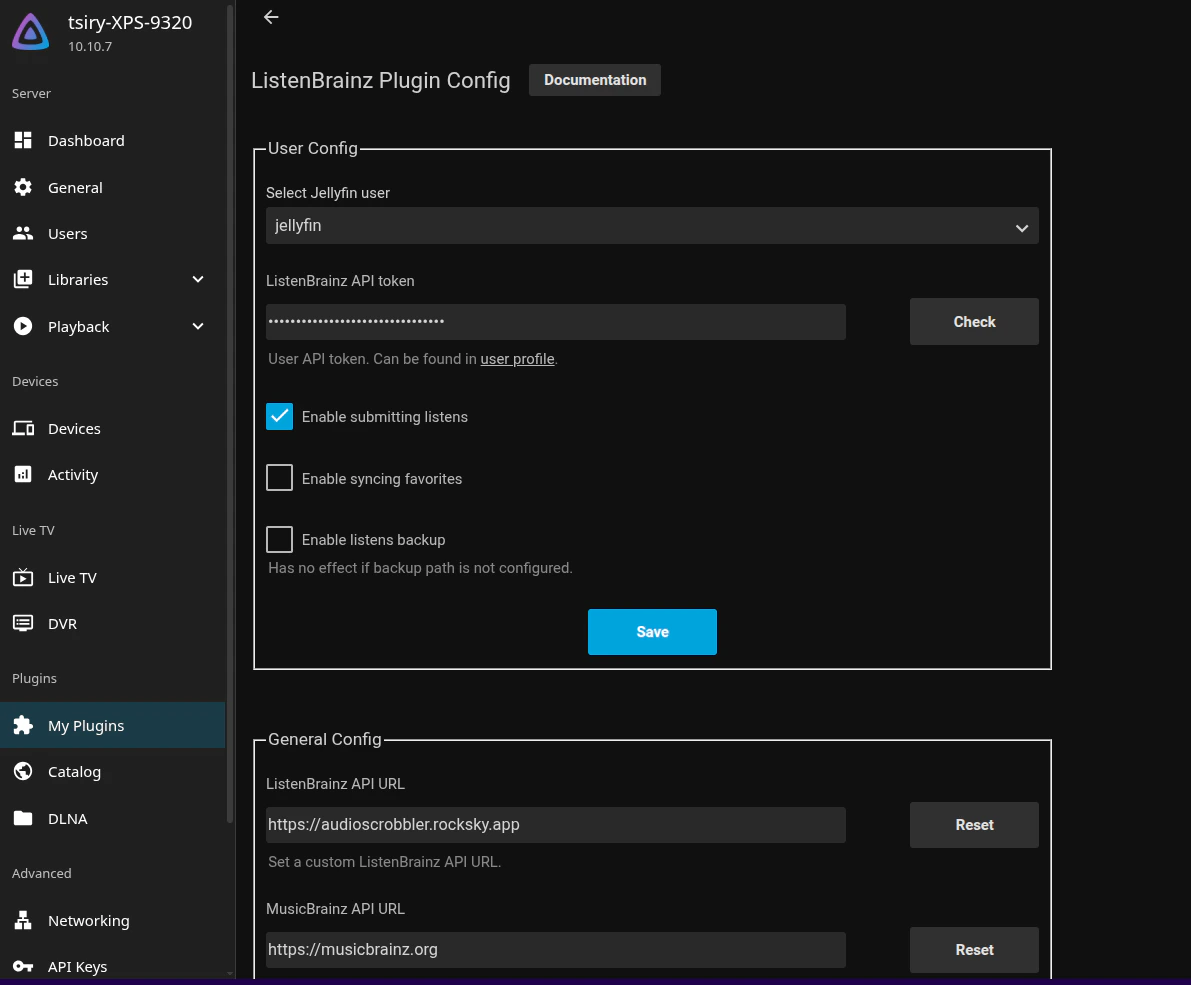
then open its settings under **Dashboard → Plugins → ListenBrainz**.
Replace the default endpoint:
```
https://api.listenbrainz.org
```
with the Rocksky endpoint:
```
https://audioscrobbler.rocksky.app
```
Paste your Rocksky API key into the **User token** field and save.
 Play a track in Jellyfin and refresh your Rocksky profile — the scrobble
should appear in real time.
Jellyfin sends a scrobble after you've played enough of a track. If a play
doesn't register, scrub past \~30 seconds and let it keep playing.
Play a track in Jellyfin and refresh your Rocksky profile — the scrobble
should appear in real time.
Jellyfin sends a scrobble after you've played enough of a track. If a play
doesn't register, scrub past \~30 seconds and let it keep playing.